Loop grid & carousel
Show posts as cards designed with a loop item template, in a grid or a carousel.
On this page
The Loop Grid and Loop Carousel widgets show a list of posts, each one drawn with a card you design yourself: a loop item template. Loop Grid lays the cards out in columns with pagination, a Load more button or infinite scroll. Loop Carousel shows the same cards in a swipeable slider. Change the card once and every grid and carousel that uses it updates.
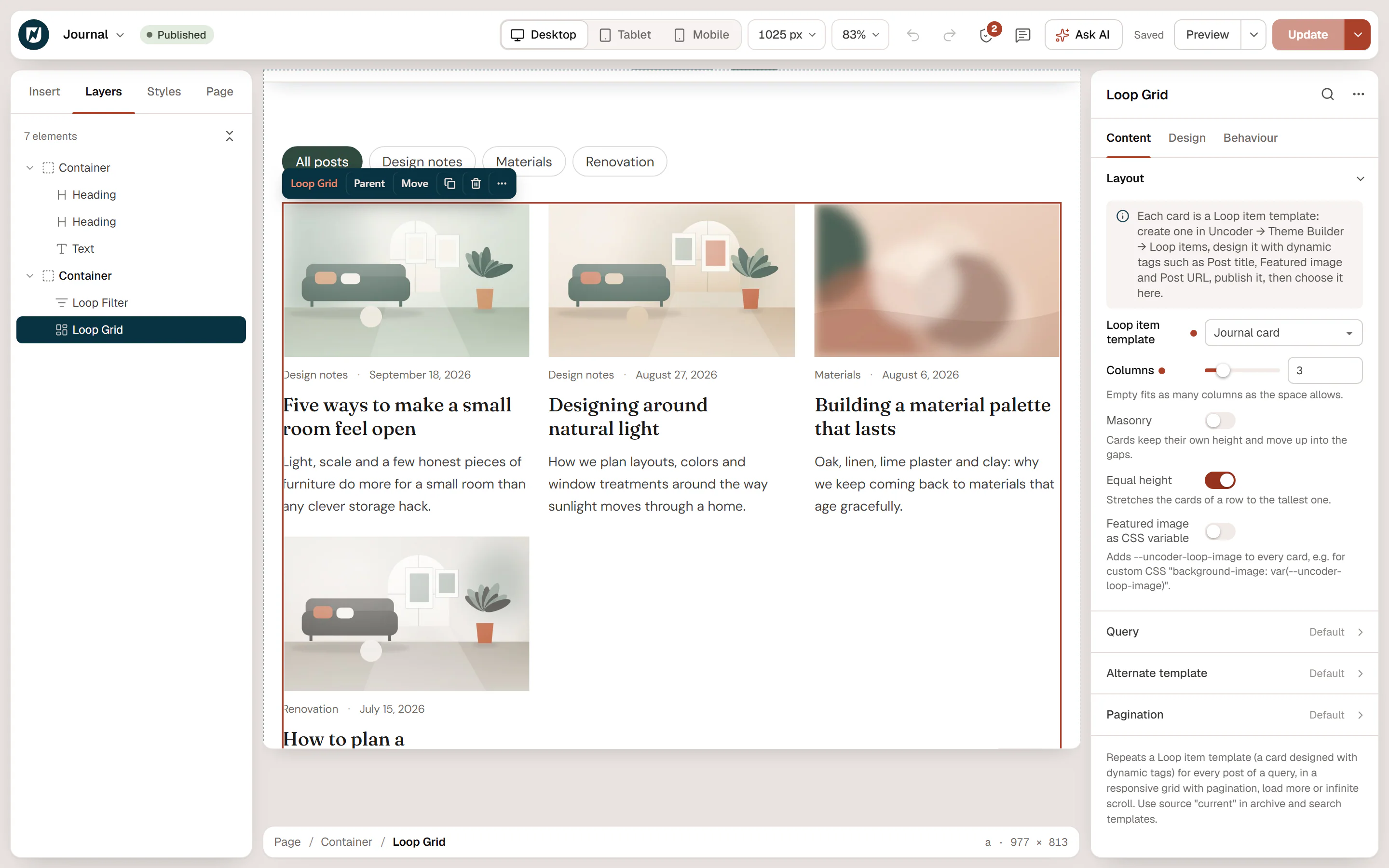
Show posts in a grid
Design the card
Create a loop item template in Urmi → Theme Builder → Loop items, design one card with dynamic widgets or tags (featured image, post title, excerpt, a read-more link) and publish it. See Loop items.
Add the Loop Grid
In the editor, open Insert, search for "loop" and drag Loop Grid onto the page.
Choose the card
In Content → Layout, pick your template in Loop item template.
Choose the posts
Open Query and choose which posts to show. The defaults show your six latest blog posts.
Set the columns and pagination
Set Columns for each device, then choose a Pagination style if there are more posts than fit.
Until you choose a template, the grid shows a placeholder with an Open Theme Builder link. The template must be published: a draft template shows the cards in the editor with a note, but not on the live site.
Loop Grid settings
| Setting | What it does |
|---|---|
| Loop item template | The card to repeat for every post. Draft templates are marked "(draft)" in the list. |
| Columns | Number of columns, per device (3 / 2 / 1 by default). Empty fits as many columns as the space allows. |
| Masonry | Cards keep their own height and move up into the gaps. |
| Equal height | Stretches the cards of a row to the tallest one. On by default; not used with masonry. |
| Featured image as CSS variable | Adds --urmi-loop-image with the card's featured image to every card, for a stylesheet outside Urmi, such as your theme's, that uses it as background-image: var(--urmi-loop-image). |
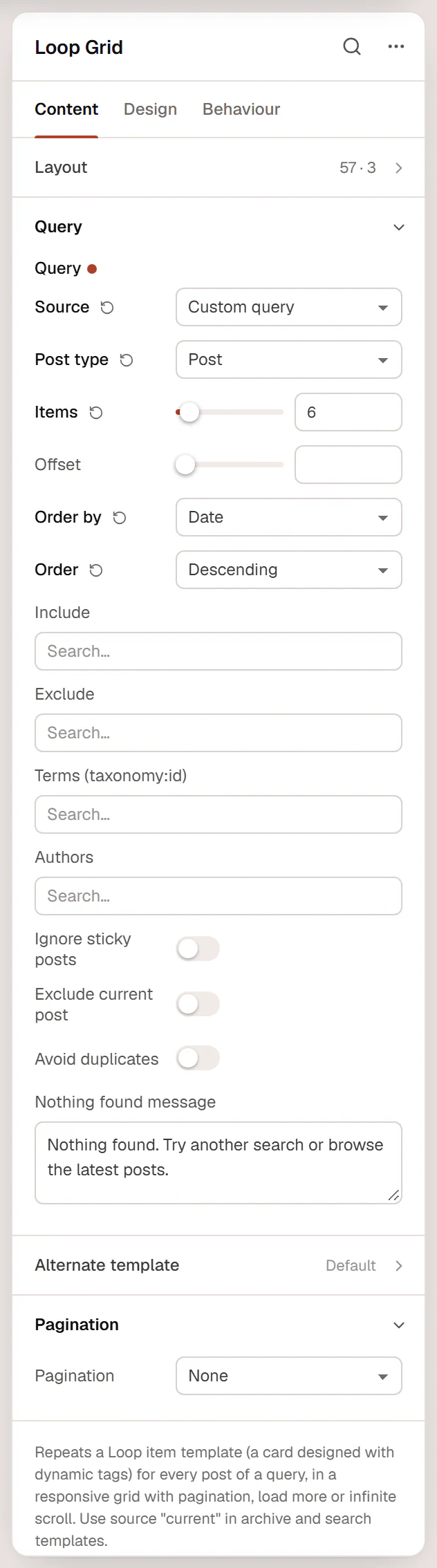
Query settings
| Setting | What it does |
|---|---|
| Source | Custom query, Current query (archives), Related to current post or Manual selection. Use Current query in archive and search templates. |
| Post type | Posts, pages or a public custom post type. |
| Items | Posts per page (1 to 100). |
| Offset | Skips the first posts. |
| Order by / Order | Date, Last modified, Title, Menu order, Comments, Random or Manual order; Descending or Ascending. |
| Include / Exclude | Always show, or never show, these posts. |
| Terms (taxonomy:id) | Only posts with these categories, tags or other terms. |
| Authors | Only posts by these authors. |
| Ignore sticky posts | Sticky posts are not moved to the top. |
| Exclude current post | Leaves out the post being viewed. |
| Avoid duplicates | Skips posts already shown higher up on the same page by another Loop Grid, a Loop Carousel or a query loop container, for example a "featured" row above an "all posts" grid. |
| Nothing found message | Shown when no post matches, for example after a filter. |
Related to current post shows posts of the same type that share a category (or a term of another hierarchical taxonomy) with the post being viewed; use it in a single post template. Current query shows the posts of the archive, blog or search page the visitor is on. In the editor there is no archive, so it previews your latest posts.
| Setting | What it does |
|---|---|
| Alternate template | A second loop item template used at a set position, for example a highlighted card. |
| Position | Which card uses it (3 by default). |
| Repeat | On: every Nth card. Off: only the Nth card. |
| Column span | How many columns the alternate card takes, per device. Keep it at or below the number of columns. |
| Setting | What it does |
|---|---|
| Pagination | None, Numbers, Previous / next, Numbers with previous / next, Load more button or Infinite scroll. |
| Previous text / Next text | Labels of the previous and next links. |
| Button text | Label of the button that loads more cards (shown for Load more button and Infinite scroll). |
| Loading text | Shown while more cards load. |
| Button style | Primary, Secondary, Outline or Ghost, from your button styles. |
| Alignment | Start, center or end. |
Load more and Infinite scroll add the next page of cards without reloading. Screen readers hear how many items were loaded, and without JavaScript a plain Next page link keeps the next page reachable. Pagination of a custom query uses its own address parameter, so it never clashes with the page's own pagination.
The Design tab styles the gaps (Column gap, Row gap, Pagination distance), the pagination links (normal, hover and active colors, radius, spacing), the Load more button and the Nothing found message. The cards themselves are styled in the loop item template.
Show posts in a carousel
Drag Loop Carousel onto the page and choose a Loop item template in the Loop section. It has the same Query, Nothing found message and Featured image as CSS variable settings as the grid, and no pagination.
| Setting | What it does |
|---|---|
| Slides per view | Cards visible at once, per device (3 / 2 / 1.15 by default; a fraction shows part of the next card). |
| Slides to scroll | How many cards one arrow click moves. |
| Gap | Space between the cards. |
| Vertical alignment | Equal height, Top, Middle or Bottom. |
| Arrows / Arrows position | Show arrows Inside, over the slides, Outside the slides or Below, next to the pagination; choose the Previous icon and Next icon. |
| Pagination | None, Dots, Fraction (2 / 5) or Progress bar. |
| Rewind | Next on the last card goes back to the first one. |
| Mouse drag | Drag the cards with the mouse. Touch swipe and trackpads always work. |
| Transition duration (ms) | Speed of the slide animation. |
| Autoplay / Delay (ms) / Pause on hover | Moves on by itself. Never starts for visitors who prefer reduced motion. |
| Pause button | A button to stop autoplay, needed for accessibility when content moves on its own. |
| Accessible name | What screen readers announce, for example "Latest articles". |
Filter the grid
Add a Loop Filter next to a Loop Grid to let visitors filter by category, search or sort the cards without reloading the page.