Starter sites
Start a new site from a ready-made kit with colors, fonts, a header, a footer and pages.
On this page
A starter site is a complete small website you can import in one step: a color palette and fonts for your Design System, a header, a footer and four or five pages with placeholder copy. Everything arrives as a draft, so you can replace the text and images with your own before anyone sees it.
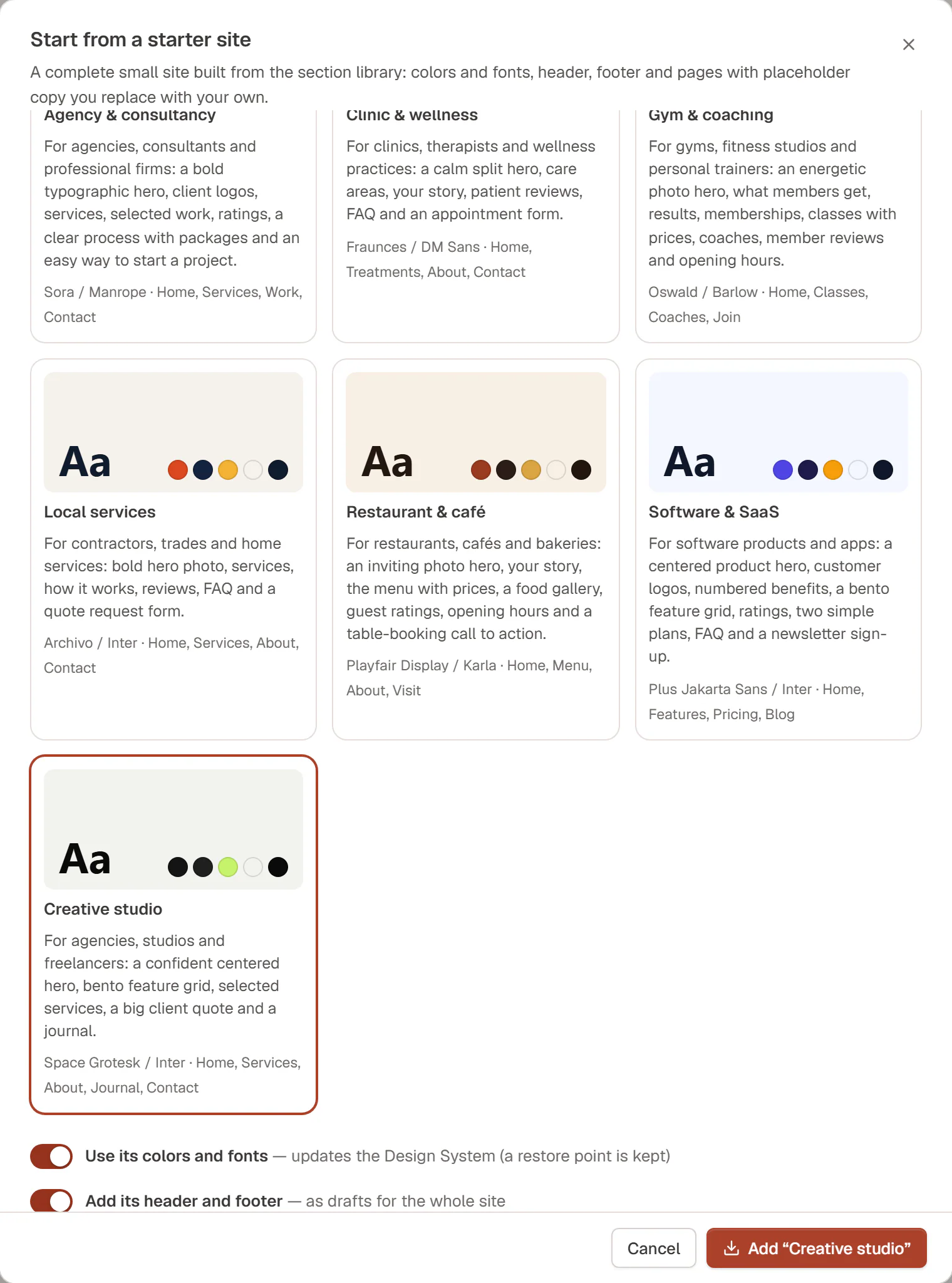
The starter sites
| Starter site | For | Pages |
|---|---|---|
| Agency & consultancy | Agencies, consultants and professional firms | Home, Services, Work, Contact |
| Clinic & wellness | Clinics, therapists and wellness practices | Home, Treatments, About, Contact |
| Gym & coaching | Gyms, fitness studios and personal trainers | Home, Classes, Coaches, Join |
| Local services | Contractors, trades and home services | Home, Services, About, Contact |
| Restaurant & café | Restaurants, cafés and bakeries | Home, Menu, About, Visit |
| Software & SaaS | Software products and apps | Home, Features, Pricing, Blog |
| Creative studio | Agencies, studios and freelancers | Home, Services, About, Journal, Contact |
Each card in the dialog shows the heading font, a few colors, a short description of what the pages contain, and the font pair (for example Space Grotesk / Inter).
Import a starter site
Open the dialog
Go to Urmi → Home and click the Starter sites card.
Pick a kit
Click the starter site that is closest to your business. You can change everything afterwards.
Choose what to add
Two options appear, both on by default:
- Use its colors and fonts: updates your Design System. A restore point is kept, so you can undo it.
- Add its header and footer: adds them as drafts, set to show on the whole site once you publish them.
The pages are always added.
Add it
Click Add “…” with the name of the kit. When it is done, the dialog says Starter site added and lists everything it created, each with an Edit link.
What happens to your site
- Pages and templates are new drafts. Your existing pages are never changed, and nothing goes live until you publish it. Importing the same kit twice creates a second set of drafts.
- The header and footer take over the whole site once you publish them in the Theme Builder. Until then, your current header and footer stay.
- Your Design System changes immediately if you kept Use its colors and fonts on: the kit sets eight colors, the heading and body fonts, and the button shape and hover effect. Your other colors, text styles and layout settings stay as they are.
- Images are placeholders. Replace them with your own photos.
- The home page is not set as your front page. Do that in WordPress under Settings → Reading when the new home page is ready.
Undo the colors and fonts
Changed your mind about the new look? Right after the import, click Undo colors & fonts in the dialog. Your previous colors and fonts come back, and the pages and templates stay. To remove the pages and templates, move them to the trash in Pages and Urmi → Theme Builder.
Make it yours
Replace the placeholders
Open each page with Edit and replace the text in square brackets, such as [Company name] or [Customer name], and the sample images with your own.
Adjust the Design System
Open Styles in the editor and fine-tune the colors and fonts to your brand. See Design System.
Publish
Publish the pages, then the header and footer in Urmi → Theme Builder. Add the pages to your menu in Appearance → Menus.
You can also start from a single section instead of a whole site: Insert → Sections in the editor has 40 ready-made patterns. See Sections & patterns.