Open from a link
Open or close a popup from any button, link or interaction.
On this page
Besides its automatic triggers, a popup can open when a visitor clicks a button, a text link, an image or a menu item. You give the element a special link address, pick the Open popup dynamic tag, use the On click trigger with a CSS selector, or add an interaction. Opening on request works even for popups without any trigger.
Use the popup's link address
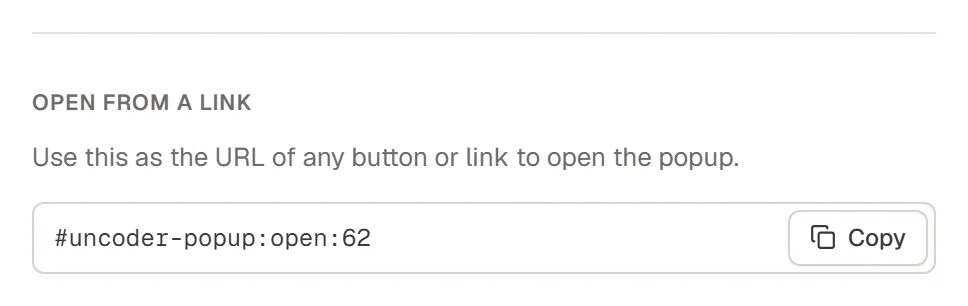
Every popup has an open link made from its ID, for example #urmi-popup:open:62. To get it, open the popup's ⋯ menu in Urmi → Theme Builder → Popups and choose Copy open link, or copy it from Open from a link in Popup settings.
Copy the open link
Copy
#urmi-popup:open:62(with your popup's number).Paste it as a link
Select a Button (or a Heading, Image, Icon…) and paste the address in its Link setting. In a WordPress menu, add a Custom link with this address.
Test it
Open the page on the live site or in Preview and click the element.
Other addresses work the same way:
| Address | What it does |
|---|---|
#urmi-popup:open:62 | Opens popup 62. |
#urmi-popup:close:62 | Closes popup 62. |
#urmi-popup:toggle:62 | Opens popup 62, or closes it when it is open. |
#urmi-popup:close | Closes the popup the link is in. Use it for a "No thanks" button inside a popup. |
You can also type these addresses as links inside the text of a Text widget or other rich text. There, Urmi stores them as #urmi-popup-open-62 so WordPress keeps them; both forms work on the site.
Use the Open popup dynamic tag
Instead of typing the address, pick the popup from a list:
Add the tag
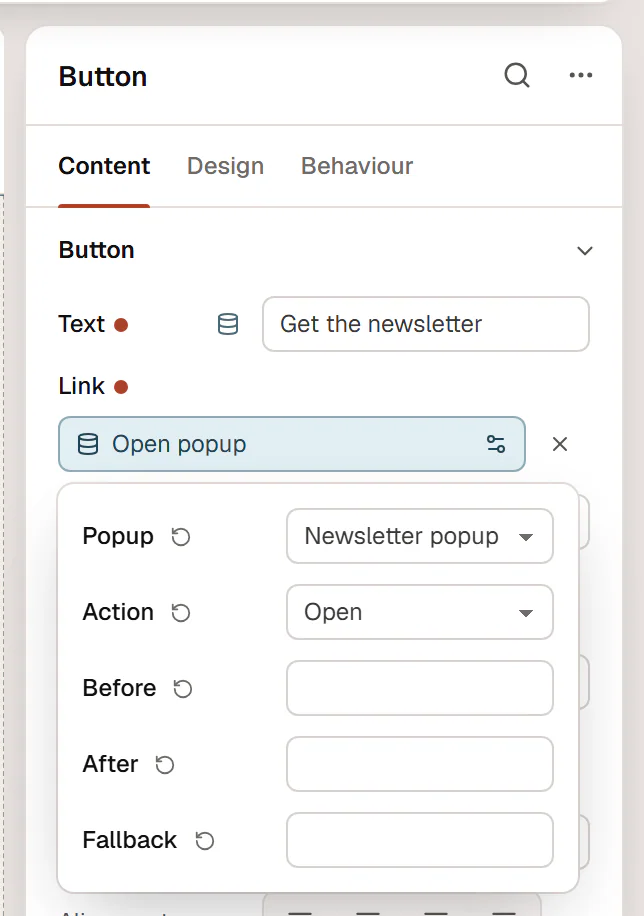
Select a button, click the database icon next to Link and choose Open popup in the Actions group.
Choose the popup
Click the chip and pick the Popup, and the Action: Open, Close or Toggle.
Open it with a click trigger
The On click trigger opens the popup when a visitor clicks any element that matches a CSS selector. Add the same class to several elements (in Behaviour → Anchor & classes), for example open-newsletter, and set the popup's Click selector to .open-newsletter. See Triggers.
Open it with an interaction
Interactions can open or close a popup too, with the Open popup and Close popup actions: for example open a popup when a section scrolls into view, or when the visitor hovers a button.
Things to check
- The popup must be on the page. A popup is only added to pages that match its display conditions, and only when it is published. For a popup opened from a button in the header, use Entire site.
- Links skip the limits. Opening from a link, the Open popup tag or the click trigger ignores the frequency limit, One popup at a time and the Who sees it rules.
- Devices still apply. On a device turned off in the popup's Devices, the popup does not open, even from a link.
- Link-only popups. To open a popup only on request, turn off all its triggers. The Theme Builder shows Link only in the Opens column.