Command palette
Run any command or insert any widget from the keyboard with Ctrl/⌘ K.
The command palette lets you run editor commands and insert widgets without reaching for the mouse. Type a few letters, pick a result and press Enter.
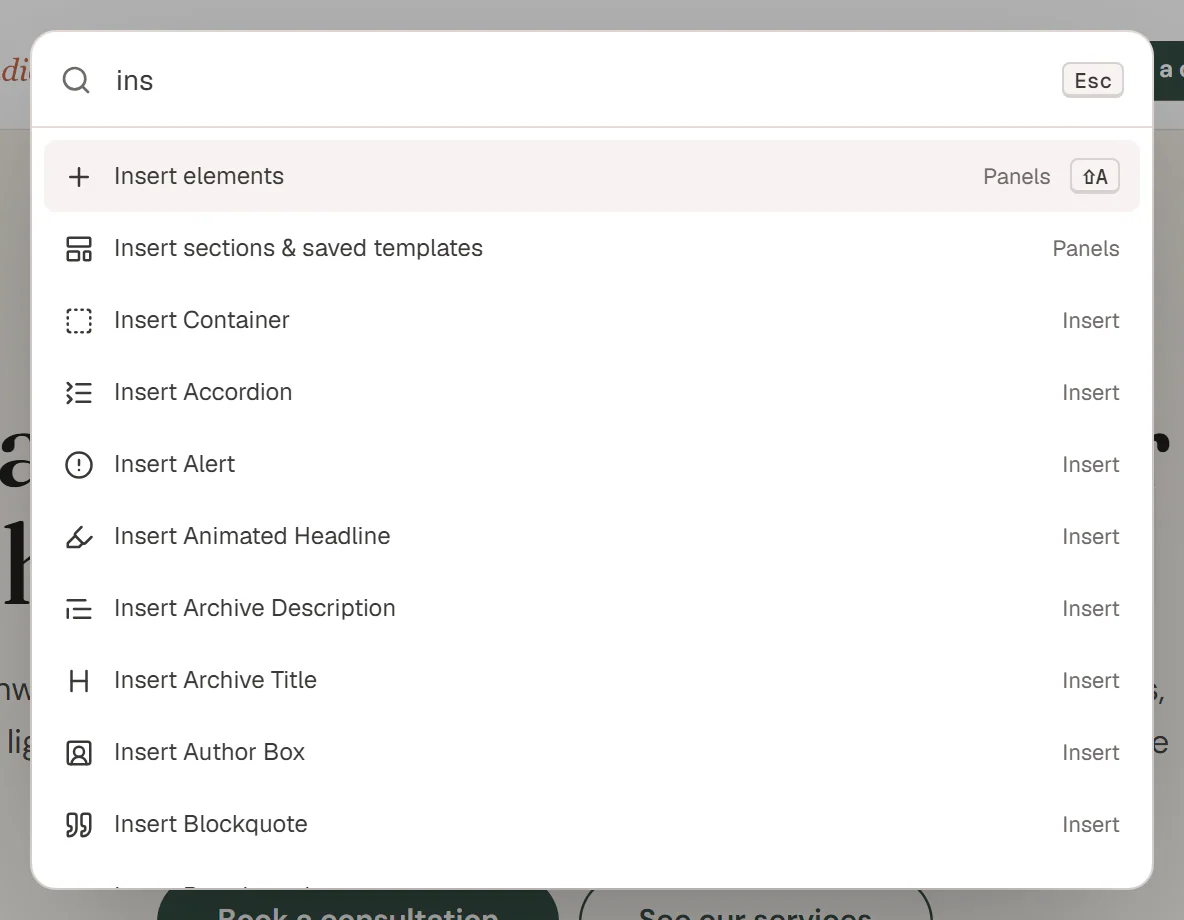
Open the palette
Use any of these:
- Press Ctrl+K (⌘+K on a Mac). Press it again to close the palette.
- Press Ctrl+E, or ? when you are not typing in a field.
- Open the Urmi menu in the top-left corner and choose Commands & shortcuts.
Find and run a command
Type what you want
Start typing in the box that says Type a command or widget name…. The list filters as you type. It matches the command name and its group, so typing
viewlists all the View commands.Pick a result
Use ↑ and ↓ to move through the list, or hover a result with the mouse.
Run it
Press Enter or click the result. Press Esc to close the palette without doing anything.
With an empty box, the palette lists every command with its shortcut, so it doubles as a cheat sheet. Widgets appear as soon as you type.
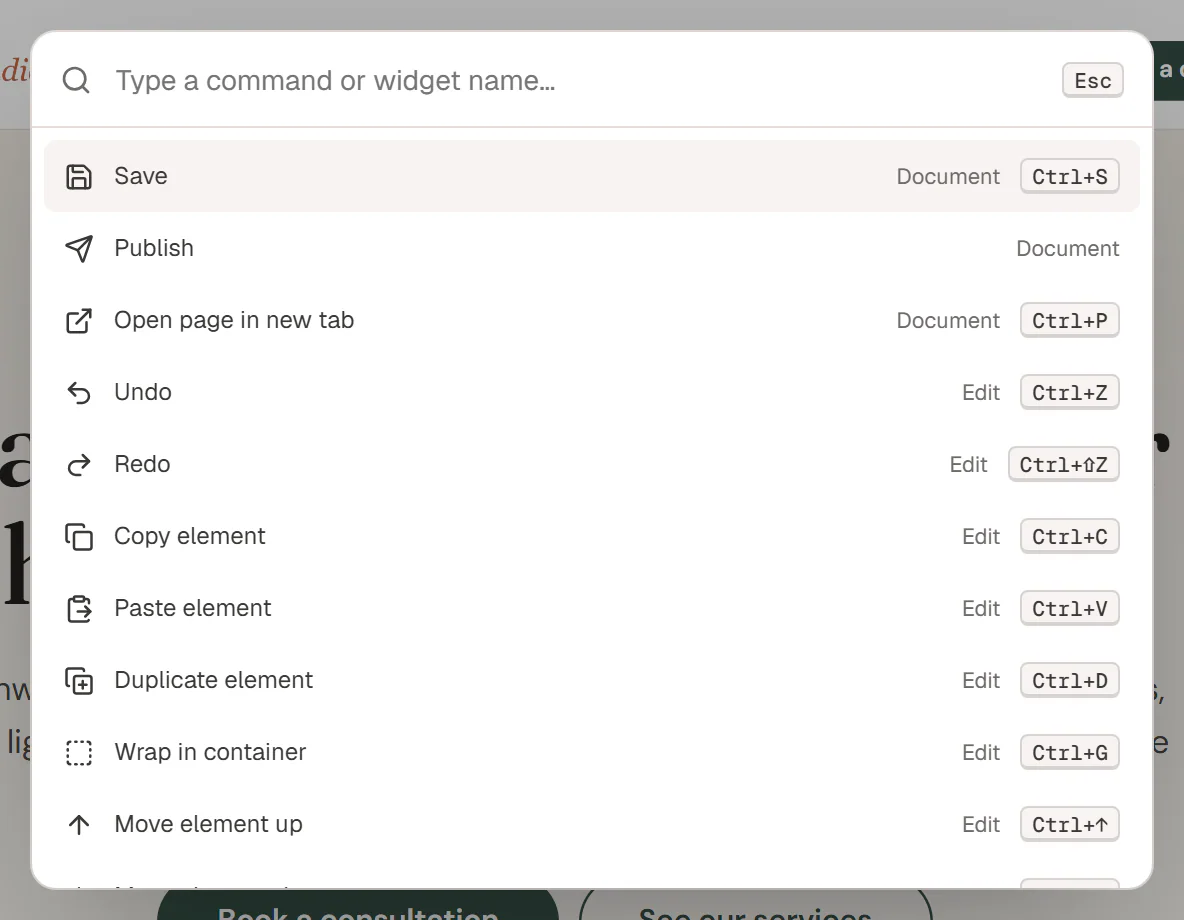
Commands
| Group | Commands |
|---|---|
| Document | Save, Publish, Open page in new tab |
| Edit | Undo, Redo, Copy element, Paste element, Duplicate element, Wrap in container, Move element up, Move element down, Delete element |
| Panels | Open layers, Insert elements, Insert sections & saved templates, Styles (Design System), Page settings (named after the content type), History, Find & replace, Accessibility checks, Ask AI |
| View | Desktop view, Tablet view, Mobile view, Toggle Paper / Petrol night interface, Toggle docked / floating panels, Editor preferences, Style book (all widgets with the Design System) |
| Insert | Insert Heading, Insert Image, Insert Form and so on: one command for every widget. |
The Edit commands act on the element you have selected, like their keyboard shortcuts.
Insert a widget from the palette
Type the widget name, for example gallery, and choose Insert Image Gallery. The widget goes where the Insert panel would put it: inside the selected container, after the selected widget, or at the end of the page when nothing is selected. See Adding elements.
The palette shows up to 40 results. If you do not see what you want, type a longer part of its name.