Facebook Embed
Embed a Facebook page, post or video.
On this page
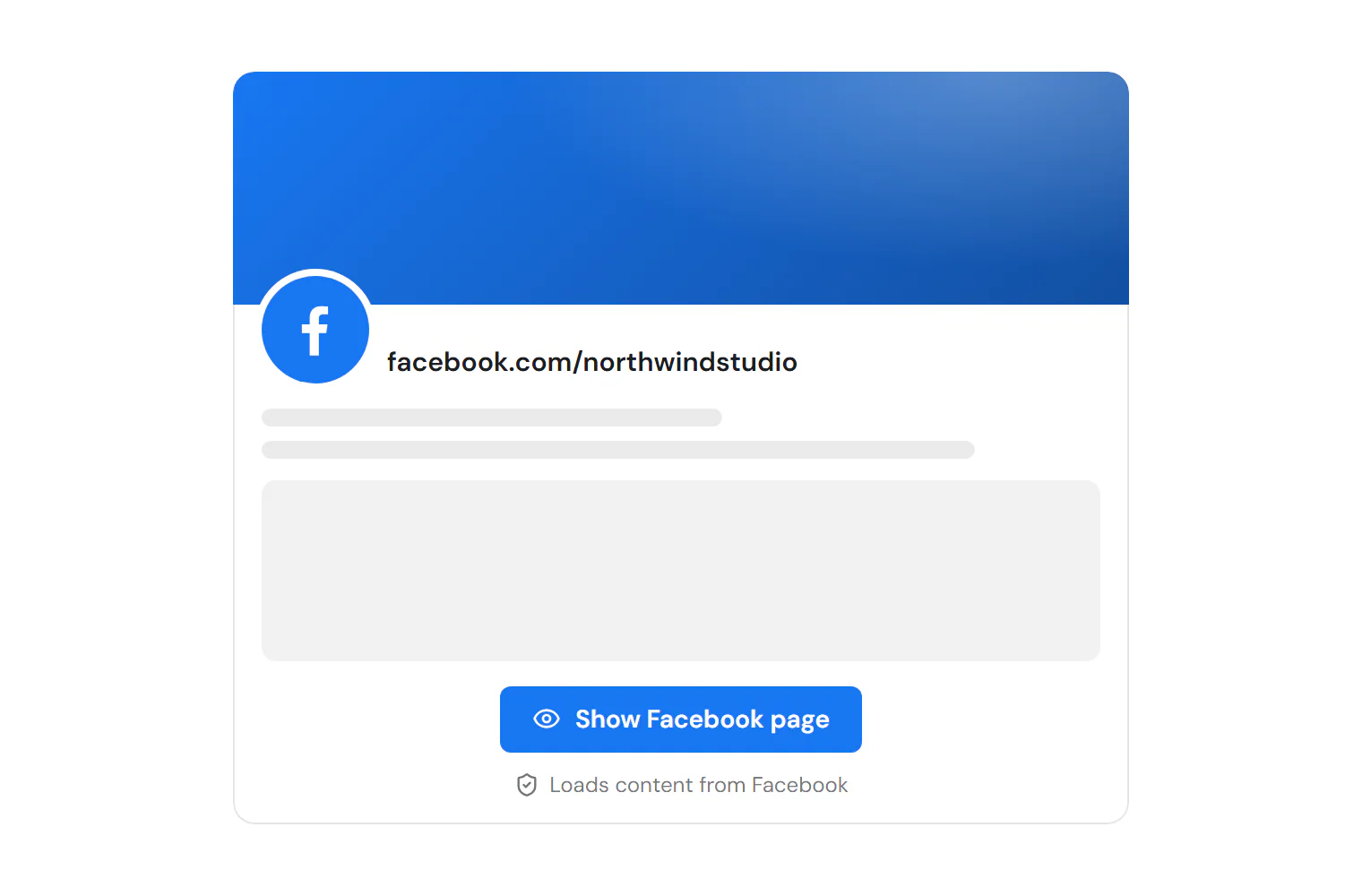
The Facebook Embed widget shows a Facebook page (its timeline, events or messages), a single post or a video on your site. By default it is privacy friendly: visitors first see a preview drawn by your site with a button and a short note, and nothing loads from Facebook until they click it.
Add a Facebook embed
Insert it
Open Insert in the left panel, find Facebook Embed under Media (or type
facebookin Search widgets) and click it or drag it onto the canvas.Choose what to embed
Set Embed to Page (timeline), Post or Video, and paste the address of the page, post or video.
Set the size
In Content → Size, set the Width and Height (or the Aspect ratio for a video).
Keep the privacy preview
Leave Load on click on in Content → Privacy. Change the Button text and Privacy note if you like.
Load on click (privacy)
With Load on click on, the page shows a preview drawn by your site. Facebook, and its cookies, load only when the visitor clicks the button; the embed then fits the space it has. This helps with privacy laws such as the GDPR. Turn it off to load the Facebook plugin straight away.
The editor always shows the preview, so nothing loads from Facebook while you design.
Settings
Settings marked Per device can differ on desktop, tablet and mobile (see Responsive editing). The addresses support dynamic tags (see Dynamic tags).
Content tab
| Setting | What it does |
|---|---|
| Embed | What to embed: a page’s timeline, one post or one video. Options: Page (timeline), Post, Video. Default: Page (timeline). |
| Page URL | The address of the Facebook page, such as https://www.facebook.com/yourpage (opens in a new tab). Shown when Embed is Page (timeline). Supports dynamic tags. |
| Post URL | The address of the post. Shown when Embed is Post. Supports dynamic tags. |
| Video URL | The address of the video. Shown when Embed is Video. Supports dynamic tags. |
| Tabs | Which page tabs to show. Leave empty to show only the page header. Options: Timeline, Events, Messages. Shown when Embed is Page (timeline). |
| Small header | Uses a smaller page header. Shown when Embed is Page (timeline). |
| Hide cover photo | Hides the page’s cover photo. Shown when Embed is Page (timeline). |
| Show friends who like the page | Shows profile pictures of friends who like the page. On by default. Shown when Embed is Page (timeline). |
| Hide the call-to-action button | Hides the page’s call-to-action button. Shown when Embed is Page (timeline). |
| Include the post text | Shows the text of the post with it. On by default. Shown when Embed is Post. |
| Include the post text | Shows the text of the post that holds the video. Shown when Embed is Video. |
| Setting | What it does |
|---|---|
| Width | Maximum width of the embed. Facebook draws pages 180–500 px wide and posts 350–750 px wide; the embed takes the space it has within those limits. Per device. |
| Height | Height of the embed. Defaults to 500 px for a page and 600 px for a post. A post cannot resize itself, so choose a height that fits it. Shown when Embed is Page (timeline) or Post. Per device. |
| Aspect ratio | Shape of the video. Default: 16:9. Shown when Embed is Video. Per device. |
| Alignment | Aligns the embed. Options: Left, Center, Right. Per device. |
| Setting | What it does |
|---|---|
| Load on click | Shows a preview drawn by your site; Facebook (and its cookies) load only when the visitor clicks. It also fits the embed to the space it has. On by default. |
| Button text | Text of the button on the preview. Leave empty for the default, such as “Show Facebook page”. Shown when Load on click is on. |
| Privacy note | A short privacy note under the button. Shown when Load on click is on. |
Design tab
| Setting | What it does |
|---|---|
| Border radius | Rounds the corners of the embed. Per device. |
| Border | Border of the embed. |
| Shadow | Shadow of the embed. |
This section shows when Load on click is on.
| Setting | What it does |
|---|---|
| Background | Background of the preview. |
| Text color | Text color of the preview. |
| Button background | Background color of the preview button. |
| Button text color | Text color of the preview button. |
| Button typography | Text style or font, size, weight and spacing of the preview button. |
Every element also has these sections at the end of the Design tab.
| Section | What it does |
|---|---|
| Spacing & position | Margin, padding, width, alignment in its container, order, position (relative, absolute, fixed), offsets, z-index and global classes. See Spacing, size & position. |
| Background & border | Background, border, border radius, box shadow, overflow and opacity of the whole element. See Colors & backgrounds and Borders & shadows. |
| Mask | Crops the element to a shape (circle, arch, blob, star…) or your own SVG or PNG. See Shape dividers & masks. |
Behaviour tab
The Behaviour tab is the same for every element.
| Section | What it does |
|---|---|
| Anchor & classes | An Anchor ID for #links and your own CSS classes. |
| Animations | Entrance, scroll, hover and loop animations from presets or your own timeline. See Motion & effects. |
| Motion & effects | A simple entrance animation, transforms (also on hover), CSS and backdrop filters, and sticky positioning. |
| Scroll & mouse effects | Movement, rotation, scale, fade and blur while the page scrolls, and pointer effects (follow the pointer, 3D tilt). |
| Visibility | Hide the element on desktop, tablet or mobile, or in dark or light mode. See Visibility. |
| Conditions | Show the element only when rules match, such as logged-in visitors, a date range or a URL parameter. See Display conditions. |
| Interactions | Show, hide or change other elements when this one is clicked, hovered or scrolled into view. See Interactions. |
| Attributes | Custom HTML attributes for this element. See Anchor, classes & attributes. |
Tips
- Size limits. Facebook draws page embeds between 180 and 500 px wide and posts between 350 and 750 px wide. Wider settings are capped by Facebook.
- Post height. An embedded post cannot resize itself, so pick a Height that fits the post you embed.
- Public content only. Only public pages, posts and videos can be embedded.
- Consent. If you use the cookie banner, describe Facebook embeds in your privacy policy. See Cookie consent.